
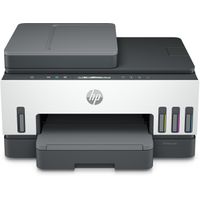
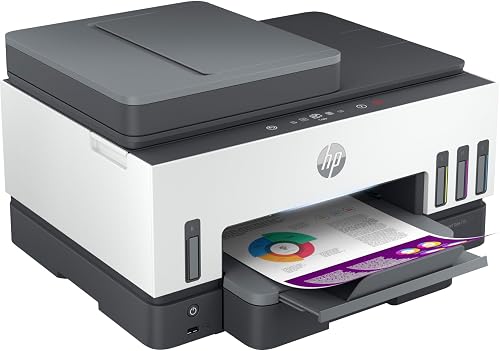
HP Smart Tank 720 All-in-One (6UU46A)
6UU46A Smart Tank Printer
rated at Takealot · checked 2 days ago
4 offers · 4 retailers
Save R 5 459.00 at Incredible Connection
Incredible Connection sells it for R 4 699.00. Compare every offer
- Average
- R 4 824.63
- Lowest seen
- R 3 999.00
- Highest seen
- R 10 159.00
- Last change
- -R 1.00
- First indexed
- 14 Nov 2024
- Retailer
- Takealot
- View
R 4 699.00
Amazon
HP Smart Tank 720 All-in-One Printer Wireless, Print, Scan, Copy, Auto Duplex Printing, Print up to 18000 black or 8000 color pages, White/Grey [6UU46A]4.2(46) Checked 13 Sep 2026
ViewR 6 395.00
+R 1 696.00
- View
R 6 899.00
+R 2 200.00
Takealot This listing
HP Smart Tank 720 All-in-One (6UU46A)
4.3(3) Checked 2 days ago
ViewR 10 158.00
+R 5 459.00
Each price is from PriceFind's last check of that retailer. Follow the link for the live price.
Description
Simplify at-home printing with mobile setup, automatic two-sided printing, smart-guided buttons, and fewer interruptions. Plus, get more value from high-volume ink - up to three years of Original HP Ink included in the box
Seamless printing made as easy as 1,2,3
Use the guided, step-by-step videos to quickly set up your printer.
A boost in home productivity
Speed through multi-page documents with automatic two-sided printing.
Fully loaded with savings
Get up to 18,000 black or 8,000 colour pages of Original HP Ink included in the box.
Featuring
Engineered for high-volume printing
Automatic two-sided printing
Your reliable connection HP Smart app
Seamless, guided setup
Print quality black (best) Up to 1200 x 1200 rendered dpi
Print quality colour(best) Up to 4800 x 1200 optimized dpi colour when printing from a computer and 1200 input dpi
Print speed Print speed up to 15 ppm (black) and 9 ppm (colour)
Functions Print, scan, copy, wireless
Duplex printing Automatic
Duty cycle(monthly, A4) Up to 5,000 pages
Duty cycle(monthly, letter) Up to 5,000 pages
Printer smart software features Duplex printing
Replacement cartridges: HP GT53 90-ml Black bottle (~4000 pages); HP 53XL 135-ml Black bottle (~6000 pages); HP GT52 70-ml Cyan bottle (~8000 pages); HP GT52 70-ml Magenta bottle (~8000 pages); HP GT52 70-ml Yellow bottle (~8000 pages). For more information about ll and yield see www.hp.com/go/learnaboutsupplies
Wireless capability Yes, 2.4/5G dual band Wi-Fi, Wi-Fi Direct
Compatible Operating Systems:
Windows 11; Windows 10; Windows 7; macOS 10.14 Mojave; macOS 10.15 Catalina; macOS 11 Big Sur; macOS 12 Monterey; macOS 13 Ventura; macOS 14 Sonoma (Windows10, 7: 32-bit or 64-bit; macOS v10.14 Mojave, macOS v10.15 Catalina
To set up an HP Smart Tank 720 printer, you'll need to unpack it, connect it to power, download and install the HP Smart app, and use the app to connect to your Wi-Fi network, install drivers, and perform other setup steps.
Here's a more detailed breakdown:
- Unpack and Connect: Remove the printer from the box and connect the power cord.
- Download and Install HP Smart: Download and install the HP Smart app from the app store or 123.hp.com.
- Connect to Wi-Fi: Use the HP Smart app to connect the printer to your Wi-Fi network.
- Install Drivers: The HP Smart app will guide you through installing the necessary printer drivers.
- Load Paper: Load paper into the printer according to the instructions in the HP Smart app.
- Install Cartridges: If necessary, install the ink cartridges.
- Align Printheads: The HP Smart app will guide you through aligning the printheads, which is a crucial step for ensuring proper print quality.
- Register your Printer: Use the HP Smart app to create an HP account and register your printer.
What's in the box
HP Smart Tank 720 All-in-One; 2 x HP GT53XL 135-ml Black Original Ink Bottle; HP GT52 Cyan Original Ink Bottle; HP
GT52 Magenta Original Ink Bottle; HP GT52 Yellow Original Ink Bottle; Power cord; HP Black color printhead; HP Tri
color printhead; Setup guide; Reference guide; Ink caution flyer; Regulatory flyers; warranty flyers
Similar products

Loot
HP Smart Tank 580 All-in-One Wireless Printer with ADF

Loot
HP Smart Tank 790 Thermal Inkjet Wi-Fi All-in-One Printer

Loot
HP Smart Tank 750 Thermal Inkjet Wi-Fi All-in-One Printer

Takealot
HP Printhead Black 6ZA17AE
4.9(10)
Loot
HP Smart Tank 530 Multi-Function Colour Inkjet Printer with Wi-Fi (A4)
HP
HP Smart Tank 750 3-in-1 A4 Color Printer - Print Copy Scan
4.6(73)
HP
HP Smart Tank 790 4-in-1 A4 Color Printer - Print Copy Scan Fax
4.5(22)
Amazon
HP Smart Tank 581 A4 Colour Wireless Printer - Print, Copy, Scan
3.7(238)
Takealot
HP Smart Tank 530 Wireless
HP
HP Smart Tank 790 A4 Colour ADF Wireless Duplex Printer - Print, Copy, Scan, Fax
4.2(40)
HP
HP Smart Tank 750 A4 Colour ADF Wireless Duplex Printer - Print, Scan, Copy
3.9(24)
Takealot