
Laptop Battery Compatible With Dell Laptop Battery 3hwpp Dell Latitude
5401 5410 5411 5501 5510 5511 Precision 3541 3551 Inspiron 7706 2-in-1 Inspiron 7500 2-in-1 Inspiron 7506
Takealot · checked Today
- Average
- R 798.99
- Lowest seen
- R 478.00
- Highest seen
- R 848.00
- Last change
- R 278.00
- First indexed
- 20 Sep 2026
- Retailer
- Takealot
Description
- Specifications:
Battery information: 3HWPP/ 15.2V / 68Wh
- Compatible Part Number:
3HWPP 03HWPP 10X1J N2NLL 1VY7F 01VY7F 451-BCMN
- Compatible Laptop Models:
- Dell Latitude 5401 E5401 Series,
- Dell Latitude 5501 E5501 Series,
- Dell Latitude 5411 E5411 Series,
- Dell Latitude 5511 E5511 Series,
- Dell Latitude 14 5410 E5410 Series
- Dell Latitude 15 5510 E5510 Series
- Dell Precision 3541 Series,
- Dell Precision 3551 Series,
- Dell 17 7500 2-in-1 Black Edition Series (NOT fit for Dell 17 7500 2-in-1 Silver Edition)
- Dell 17 7506 2-in-1 Black Edition Series (NOT fit for Dell 17 7506 2-in-1 Silver Edition)
- 3HWPP battery for -- Dell 17 7500/7506 2-in-1 Black Edition
- JK6Y6/H5CKD battery for -- Dell 17 7500/7506 2-in-1 Silver Edition
- Battery care instructions:
1. Please use up the new battery to about 10-20% full charge and repeat 3-5 times to check whether there is a problem and stabilize the battery capacity.
2. Remember not to discharge the battery to 0%, otherwise it is easy to damage the battery.
3. After the battery is exhausted, please charge it in time. If it is not charged for a long time, the battery may be damaged.
4. If the battery is not used for a long time and needs to be stored above 70%, the storage time should not exceed 3 months.
5. If you use the charger frequently, please use the battery power regularly, and use it more than once a week.
6. Please use the original charger or famous brand charger, inferior charger will affect the normal charging of the battery.
7. Regularly clean the fan dust, increase the heat dissipation effect, reduce the power consumption, and effectively extend the battery life.
- How do I get my laptop to recognize a new battery?
1. Unplug all external devices from the laptop.
2. Take out the battery.
3. Press the power button of the laptop for about 10-15 seconds.
4. Insert the battery and restart the computer.
5. Connect the AC adapter and check if your machine can detect the battery again.
PLEASE MAKE SURE TO CHECK THE MODEL NO AND PICTURES BEFORE PLACING ORDER.
What's in the box
1 X Replacement Battery
Similar products

Takealot
Replacement Laptop Battery Compatible With Dell Latitude E5450 7.4V 51Wh

Takealot
Rechargeable Laptop Battery Compatible with F286h Inspiron 1410
 −17%
−17%Takealot
40Wh M5Y1K 14.8V Battery Compatible with Dell Laptop Replacement Inspiron
4.5(30)
Prime
Replacement Laptop Battery Compatible with DELL 6MT4T E5470/E5570 7.6V

Prime
Replacement Laptop Battery Compatible with DELL CQ42 CQ56 CQ62 CQ72 10.8V
Generic
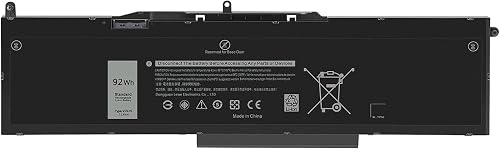
Replacement Laptop Battery VG93N, 92Wh Li-ion Battery compatible with Dell Precision 15 3520, M3520, 11.4V

Takealot
Laptop Battery Compatible with Dell Inspiron 15-7560,15 5538,15 5567,WDXOR
4.5(38) −36%
−36%Takealot
J1KND 46Wh Compatible with Dell Battery Laptop N5010 N7010 1540 Inspiron
4.2(13)
Generic
Replacement Laptop Battery Compatible with Dell Inspiron WDXOR 114V 13 5378
Takealot
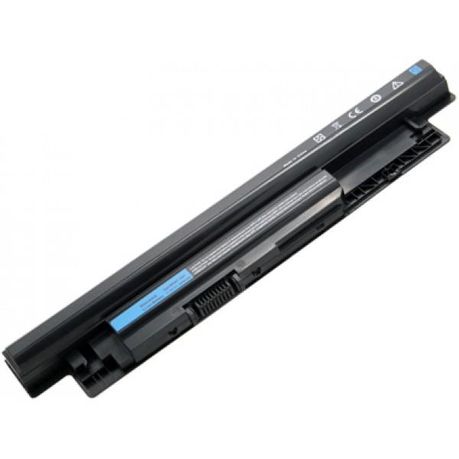
Dell Vostro 2521 Inspiron 15 (3521) MR90Y Compatible Replacement Laptop Battery
4.3(35)
Takealot
MU06 Compatible with HP Laptop Battery G62 G7 G4 593553-001 Pavilion Series
4.5(10) −55%
−55%Takealot