
M20 Wireless RGB Gaming Mouse 7 Button High DPI
R 409.00
Takealot · checked 7 days ago
- Average
- R 411.04
- Lowest seen
- R 408.00
- Highest seen
- R 449.00
- Last change
- R 1.00
- First indexed
- 07 Sep 2026
- Retailer
- Takealot
Description
- Install the Driver: www.utezena.com
- 7 Button: left button, right button, center (scroll) button, 5 (front) button, 4 (rear) button, DPI switch button, bottom connection mode switch button)
- Left button: The standard function of the left button on the mouse
- Right button: The standard function of the right mouse button
- Middle button (scroll wheel): The middle button function of a standard window system mouse.
- 5 (Front) button: Forward function
- 4 (Rear) buttn: Back function
- DPI switching button: 400DPI (red light), 800DPI (blue), 1600DPI (green) (default), 3200DPI (yellow), 6400DPI (green), 1200DPI (purple), DPI memory.
- Wird Gaming Mouse and 2.4G Wireless Receiver
- Light Adjustment:Middle button+4 (rear) button to switch light effects
- 2.4G Wireless Mode: The red light stays on for 5 seconds when powered on, flashes rapidly during code pairing, and flashes slowly during reconnection. After connecting, the red light goes out. When a data cable is inserted in this mode, it is forced to switch to wired+charging mode.
- Sleep Mode: After the 2.4G mouse is stationary for 1 minute, it enters deep sleep mode, which can be awakened by moving or pressing a button; In Bluetooth mode, the mouse stays still for 15 minutes to enter deep sleep mode, which can be awakened by moving or pressing a button. In wired mode, it does not sleep.
- Wireless 2.4G Pairing method: After switching the switch to wireless 2.4G, press and hold the bottom pairing button for 3 seconds to perform receiver pairing. After entering pairing, the red indicator light on the bottom will flash rapidly for 30 seconds. Insert the receiver into the PC, and after successful matching, the red indicator light will turn off.
- Charging mode: Plug in the connecting cable to enter the charging state (charging current: 230mA), the red scrolling light will turn on, and when fully charged, the backlight will restore the default light effect.
- Low battery alarm: When the voltage is below 3.3V, the scrolling red light flashes slowly to indicate the need for charging; When the voltage drops below 3.0V, turn off the device, the scrolling red light flashes rapidly for a few seconds, and then enter deep sleep.
- If the charging indicator light (at the scroll wheel) is not soldered, the status can be indicated through the display screen: when low voltage is applied, the battery icon flashes; When charging, the battery races.
- Compatible with USB 1.1 and 2.0 interfaces, compliant with USB 1.1 and 2.0 specifications.
What's in the box
1 x M20 Gaming Mouse
1 x Charging Base
Similar products

Takealot
MARVO Z Fit Pro Wireless Gaming Mouse 19000 DPI RGB + Ctrlaltdlt Gloves
R 2 999.00

HAVIT
HAVIT MS955WB Wireless Gaming Mouse 22000DPI RGB 6 Programmable Buttons
R 1 199.00

Redragon
Redragon Wireless Gaming Mouse, MMO Gaming Mouse UP 16,000 DPI, 19 Macro Programmable Buttons, RGB Rechargeable Gaming Mouse with 12 Side Buttons, 70Hrs for PC Laptop MOBA FPS, M901P-KS
4.2(406)R 1 492.00
Redragon
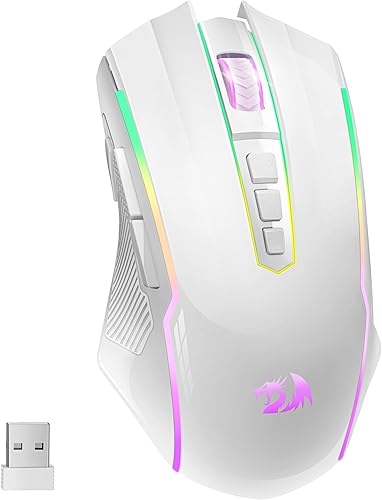
Redragon Gaming Mouse, Wireless Gaming Mouse with 9 Programmable Buttons, RGB Backlit, Rechargeable Wireless Mouse UP to 8000 DPI, Macro Edit, 70Hrs for Laptop, PC, Mac Gamer, White M910-WS
R 1 323.00

Takealot
MARVO G995W-GURU Wireless Gaming Mouse 26000 DPI RGB + Ctrlaltdlt Gloves
R 2 799.00

iMice
iMICE G904 Wireless Gaming Mouse Rechargeable Bluetooth 2.4GHz RGB 1600 DPI
R 439.00

AULA
AULA RGB Backlit Gaming Wireless Mouse with Side Buttons 2.4G-SC100-Black
4.8(4)R 399.00

Takealot
MARVO Duke 50W M368W Wireless Gaming Mouse 12800 DPI Tri-Mode RGB - Black
R 397.00

Inphic
Inphic IN9 RGB Gaming Mouse Wireless Mouse Tri-Mode 2.4G BT Wired
R 699.00

Roccat
Roccat Kain 200 AIMO Black Wireless RGB Gaming Mouse
R 2 624.00

Takealot
Zelotes F-18 RGB Wireless Vertical Ergonomic Gaming Mouse - 24000 DPI
R 899.00
Redragon
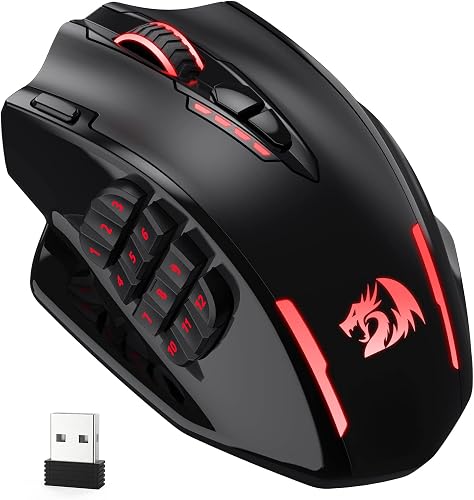
Redragon M913 Impact Elite Wireless Gaming Mouse, 16000 DPI Wired/Wireless RGB Gamer Mouse with 16 Programmable Buttons, 45 Hr Battery and Pro Optical Sensor, 12 Side Buttons MMO Mouse
R 1 156.00