
Portable Bluetooth Label Printer 72mm Wireless | ZAPOS
Rechargeable Mobile Thermal Printer for Deliveries, Warehouse Use, Shipping Labels & Barcodes - ZA-P328B
Takealot · checked 5 days ago
- Average
- R 1 499.00
- Lowest seen
- R 1 499.00
- Highest seen
- R 1 599.00
- Last change
- R 100.00
- First indexed
- 21 Sep 2026
- Retailer
- Takealot
Description
ZAPOS ZA-P328B Mobile Label Printer - Pro Labelling That Fits in Your Hand.
If your workflow doesn't sit still, your label printer shouldn't either. The ZAPOS ZA-P328B is a heavy-duty, ultra-portable thermal label printer designed for professionals who work outside the office - delivery drivers in the van, warehouse staff roving the aisles, retail teams doing shelf markdowns, field service technicians labelling parts on-site, market traders, pop-up shop operators and anyone else who needs to print labels exactly where the work happens.
Pair it to a phone, tablet or laptop via Bluetooth and print labels wirelessly from anywhere. A built-in 2000mAh rechargeable battery keeps the printer running through a full working shift, while the modern USB Type-C port handles charging on the same cable you probably already use for your phone. At just 360g and 114 x 103mm - about the size of a pack of cards - the ZA-P328B slips into a jacket pocket, a delivery driver's pouch, a tool bag or a glove box.
Why You'll Love It:
- Truly Portable - Goes Where You Go - At 114 x 103 x 59mm and just 360 grams, this is genuinely pocket-sized. Slip it into a coat pocket, a tool bag, a delivery driver's pouch, a van glove box or a backpack. Take it from the warehouse floor to the loading bay to the customer's site - wherever labels need to be printed, the printer is already there.
- Bluetooth Wireless Printing - Pair it with any Bluetooth-enabled smartphone, tablet or laptop and print labels wirelessly. No cables to drag around, no docking stations to set up. Print straight from your courier app, warehouse management app, POS app or label design app on the device you already carry.
- USB Connection Also Included - Need to print from a PC at the office? Plug in the USB Type-C cable for a direct wired connection. Same printer covers both wireless mobile use and traditional desk-based printing.
- Long-Lasting 2000mAh Battery - Built-in rechargeable lithium battery delivers a full working shift of mobile printing on a single charge. No batteries to keep buying, no surprise power failures mid-delivery. Recharge overnight via the included USB-C cable and you're good for the next day.
- USB Type-C Charging - Modern USB-C port works with any standard phone charger, laptop charger, power bank or car USB charger. No proprietary plugs, no obscure cables - charge anywhere, with the same cable you probably already have.
- Direct Thermal - No Ink, No Toner, No Ribbons - Heat marks heat-sensitive thermal label paper directly. Your only running cost is the label rolls themselves. Perfect for the mobile workflow where carrying spare ink cartridges or ribbons just isn't practical.
- Rugged, Heavy-Duty Build - Designed for the real-world conditions of delivery vehicles, warehouse floors, market stalls and outdoor work. The compact black chassis takes the inevitable knocks of mobile use without falling apart.
- 72mm (2.8") Maximum Label Width - Handles small to medium label sizes: receipt-style labels, product barcode tags, address labels, parcel tags and smaller shipping labels. Note: this is narrower than the 4-inch (100mm) industry-standard 4x6 shipping label - see "Important Notes" below.
Where Mobile Label Printing Earns Its Money:
- Delivery Drivers - Print waybills, proof-of-delivery labels and return tags in the van, between pickups
- Warehouse Staff - Print location labels, stock tags and pick labels right where the work happens, instead of walking back to a desk printer
- Retail Floor Teams - Re-price shelves on the floor, print markdown stickers, handle returns mobile
- Field Service Technicians - Label parts and assets on-site without going back to the office
- Market Traders & Pop-Ups - Mobile labelling for products, prices and packaging on the trading floor
- Couriers & Logistics - Print labels at customer sites, on collection runs, in the vehicle
- Real Estate & Event Staff - On-site labelling for properties, signage, equipment tags
- Hospitality - Date labels and food safety tags directly in the kitchen / prep area, not via a back-office printer
How to Set It Up:
Via Bluetooth (Phone, Tablet or BT-Equipped Laptop):
- Charge the printer fully before first use (via the included USB-C cable)
- Switch the printer on
- Open your phone, tablet or laptop's Bluetooth settings and pair with the ZA-P328B
- Install the matching label app on your device (see manufacturer's documentation for the recommended app - often a free download from Google Play or the App Store)
- Design or load a label in the app and print
Via USB (PC or Mac):
- Plug the USB-C cable into the printer and the USB-A end into your computer
- Install the driver from the included CD (or download from manufacturer's website if your computer doesn't have a CD drive)
- Open your label design or shipping platform software
- Print as you would from any other USB printer
Specifications:
- Product Type: Portable / Mobile Direct Thermal Label Printer
- Brand: ZAPOS
- Model: ZA-P328B
- Printing Method: Direct Thermal (no ink, no toner, no ribbon)
- Maximum Print Width: 72mm (2.8 inches)
- Maximum Print Length: 1016mm (40 inches)
- Connectivity: USB + Bluetooth
- Battery: Built-in 2000mAh Rechargeable Lithium
- Charging Port: USB Type-C
- Dimensions: 114 x 103 x 59mm (D x W x H)
- Weight: 360g
- Operating System Compatibility: Windows, macOS, Android, iOS (via Bluetooth)
- Material: ABS Plastic Housing
- Colour: Black
Important Notes - Please Read Before Buying:
- 72mm MAXIMUM print width - this is NOT a 4x6 shipping label printer. The ZA-P328B handles labels up to 2.8 inches wide, which is sufficient for receipts, small product barcodes, small parcel labels and many courier labels - but NOT for full-size 4-inch (100mm) 4x6 shipping waybills. If you need to print standard 4x6 shipping labels, choose the desktop ZAPOS ZA-D461B, ZA-490B or one of the larger desktop label printers instead.
- Use thermal labels appropriate for the printer's width (up to 72mm / 2.8 inches). Standard thermal receipt-style label rolls in this width are widely available.
- Bluetooth pairing requires the matching mobile app or a label-printing app that supports generic ESC/POS thermal printers. Check the manufacturer's documentation for the recommended app.
- Thermal labels can fade over months if exposed to heat or direct sunlight. For most mobile labelling use cases (couriers, delivery, retail markdowns), this isn't an issue since labels are read within days or weeks.
Which ZAPOS Label Printer Is Right for You?
- ZAPOS ZA-P328B (this one) - Portable mobile Bluetooth printer, 72mm max width, rechargeable. Best for delivery drivers, warehouse roving staff, retail floor teams, field service technicians and any mobile labelling workflow.
- ZAPOS ZA-490B - Desktop, USB only, direct thermal, 4-inch (100mm) width. Best for retail counters and small e-commerce dispatch desks needing standard 4x6 shipping labels.
- ZAPOS ZA-D461B - Desktop, USB only, direct thermal, 4-inch, rose-gold accented design. Best for design-conscious e-commerce sellers needing 4x6 shipping labels.
- ZAPOS ZA-T451B - Desktop, dual mode (thermal transfer + direct thermal), 4-inch. Best for users needing both shipping labels AND long-lasting durable labels (asset tags, product labels).
- ZAPOS ZA-G480B - Industrial network printer, USB + LAN + RS232, thermal transfer. Best for high-volume continuous duty, manufacturing and multi-station warehouse environments.
Care and Maintenance:
- Charge the battery before first use, and avoid leaving it completely flat for long periods to extend battery lifespan.
- Use the included USB-C cable for charging. Fast chargers and non-standard adapters can damage the internal battery - most standard phone chargers will work just fine.
- Use thermal labels from a reputable supplier - cheap low-grade label stock can leave residue on the print head and shorten its life.
- Clean the print head periodically with a thermal print head cleaning pen or isopropyl alcohol on a cotton swab (with the printer powered off). Print head buildup is the most common cause of fading prints or streaks.
- Wipe the housing with a soft, dry cloth. The compact case will pick up fingerprints and pocket lint quickly - a quick weekly wipe keeps it looking professional.
- Avoid leaving the printer in extreme heat (a closed car in summer, for example). Heat damages both the internal battery and unused thermal label stock.
- Switch the printer off when not in use to extend battery cycles. Leaving it permanently on or constantly plugged in shortens battery lifespan over time.
Whether you're a delivery driver running waybills from the van, a warehouse picker labelling stock on the move, a retail manager re-pricing the shop floor, or a field technician labelling parts on-site, the ZAPOS ZA-P328B Mobile Label Printer is the genuinely portable, properly built printing solution that just works. Add it to your cart today.
What's in the box
1 x Printer with battery
1 x Power adapter
1 x Type-C cable
1 x User Manual
1 x CD
Similar products

Niimbot
Niimbot B21 Label Printer - Bluetooth Portable Label Maker for Office - Mint
5.0(1)
Takealot
Portable Bluetooth Thermal Mini Label Printer with Labels, Wireless
 −36%
−36%Takealot
Portable Bluetooth Thermal Label Printer, Wireless Label Maker with Roll

Takealot
Portable Bluetooth Label Maker Thermal Printer App Controlled, Incl Label
4.2(6)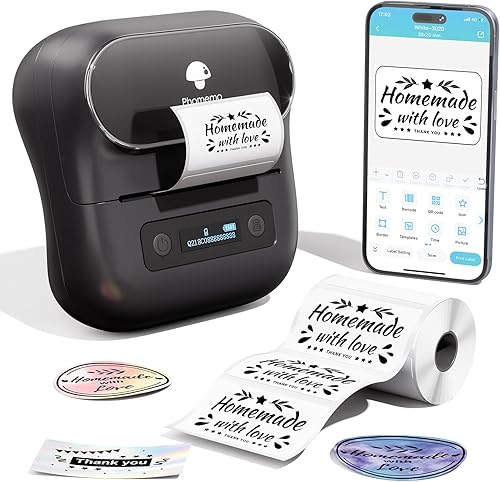
Phomemo
Phomemo Label Maker - M220 Label Printer,Thermal Bluetooth Label Maker Machine,Portable Sticker Label Machine for Home, Office,School, Small Business - Compatible with IOS, Android
4.4(74)
Takealot
Uptix Mini Portable Bluetooth Label Printer | USB Rechargeable Battery
4.9(7)
Niimbot
Niimbot - D101 - Portable Thermal Label Bluetooth Printer Incl Label
5.0(4) −28%
−28%Takealot
Portable Bluetooth Label Maker, Thermal Label Printer with 1 Roll Label

Phomemo
Phomemo M110 Label Printer, Portable Bluetooth Thermal Label Maker Machine for iOS & Android Phone, Barcode Printer for Clothing, Jewellery, Retail, Home, with 1 Roll 40x30mm Label
 −14%
−14%Niimbot
Niimbot - B1 Bluetooth Label Maker - Powerful, Portable, Ink-Free
4.6(45) −14%
−14%Niimbot
NIIMBOT B1 Bluetooth Label Maker - Powerful, Portable, Ink-Free
4.8(8)
NIIMBOT