
VGA to HDMI 1 In 2 Out Splitter Adapter For PC Laptop Desktop DVD Player
Plug & Play for Big Screen Viewing, Share Audio & Video from VGA Port to HDMI/VGA Devices
Takealot · checked Today
- Average
- R 256.51
- Lowest seen
- R 232.00
- Highest seen
- R 379.00
- Last change
- -R 45.00
- First indexed
- 28 Apr 2026
- Retailer
- Takealot
Description
Product Description
This 2-in-1 one-way VGA to HDMI + VGA converter supports VGA input resolutions ranging from 800×600 to 1920×1080 and delivers up to 1080P Full HD HDMI output for HDTVs, monitors and projectors. It mirrors identical screen content on both HDMI and VGA displays simultaneously without separate split different screen signals, ideal for gaming, office meetings and movie watching. Plug and play with no drivers needed; USB power supply is mandatory during operation, and the matching audio cable must be plugged into your computer host to get sound (VGA-only output may have no audio). Built with dual high-performance chips, an anti-drop aluminum alloy shell for fast heat dissipation and gold-plated plugs for stable, smooth signal transmission, it works perfectly with Windows 7/8/10 systems to transfer audio and video from VGA-equipped laptops, desktops and DVD players to dual display devices.
Specifications
1. Product Name: VGA to HDMI VGA 2-in-1 Converter
2. Input Signal: VGA Male
3. Output Signal: HDMI Female + VGA Female
4. Max Supported Resolution: 1080P Full HD
5. Working Mode: One-way conversion only, non-bi-directional
6. Display Mode: Same screen mirroring, cannot show different content on two screens
7. Power Requirement: Must connect USB power cable for operation
8. Audio Reminder: Insert audio cable into computer host for audio output; VGA single output has no sound
9. Compatible System: Windows 7, Windows 8, Windows 10
10. Material: Aluminum alloy housing, gold-plated connectors
Operation Steps
1. Plug the VGA male connector into your VGA-output device such as laptop, desktop or DVD player
2. Connect the attached USB power cable to supply power to the converter
3. Insert the 3.5mm audio cable into the audio port of your computer host
4. Link HDMI or VGA cable to the adapter's female ports, then connect to monitor, TV or projector
5. Play videos, PPT and files, and the screen content will be mirrored on your displays
What's in the box
1. 1 x VGA to HDMI & VGA Converter Adapter
2. 1 x 3.5mm Audio Cable
3. 1 x USB Power Cable
What's in the box
1 x VGA to HDMI & VGA Converter Adapter,1 x 3.5mm Audio Cable,1 x USB Power Cable
Similar products

biaze
Biaze HDMI to VGA Adapter Cable GD08 1080P Video Converter for PC TV
 −49%
−49%Takealot
HDMI to VGA Adapter 1080P Compatible with PC Laptop Monitor TV

Takealot
HDMI to VGA 1080P Adapter with 3.5mm Audio
5.0(1)
Takealot
HD 1080P HDMI-Compatible To VGA Adapter Jack Audio Converter
5.0(1)
Takealot
FI- HDMI (Male) to VGA (Female) Adapter
5.0(6) −22%
−22%Takealot
HDMI to VGA Cable with IC, 4K Surported, No Sound Transfer

Takealot
HDMI to VGA Converter with Audio Output-Black

Takealot
HDMI to VGA Converter with Audio Output
3.9(68)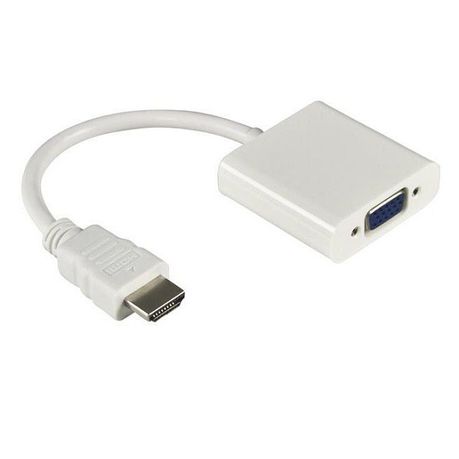
Intelli-Vision Technology
HDMI To VGA Adaptor
4.1(249)
Takealot