
Wireless HD Display Adapter WiFi Screen Cast Mirroring Dongle Receiver
For Phone/PCTablet to HD Display TV Projector Monitor
Takealot · checked 11 days ago
- Average
- R 425.56
- Lowest seen
- R 399.00
- Highest seen
- R 449.00
- Last change
- R 50.00
- First indexed
- 23 Sep 2026
- Retailer
- Takealot
Description
"Can I use it without Wi-Fi at home?
A: Yes. You can use our screen mirroring device even without a network. Just plug in your device to mirror your screen; it has nothing to do with whether you have Wi-Fi or not.
What Apple models can it be used with?
System 10.8 and above
A: Apple system 8.0 and above, 4S and above, iPad 2 and above, Mac system
What Android models can it be used with?
Does it have multi-screen interaction, screen sharing, screen mirroring, etc.?
A: Android system 4.2 and above with screen mirroring function (usually found in settings)
What are the requirements for TVs and projectors?
A: To use our screen mirroring device, your TV (projector) only needs to have an HDMI high-definition interface. Most LCD TVs (projectors) have this.
Can I connect to Wi-Fi while using it?
A: Yes. Our product uses a new bridge connection technology, which ensures both screen mirroring and normal internet access for your phone (tablet).
Will it lag? Will there be delay? Will the screen flicker?
The performance varies depending on the environment. We recommend using it close to the screen, especially when watching videos (make sure there are no walls in between).
A: Normally not. Yes, but because wireless signals are easily interfered with, and different devices and devices require different configurations, the following conditions must be met:
1. Distance: Maintain a distance of at least 3 meters between the phone, router, and Wi-Fi signal.
2. Strong Wi-Fi signal: Use 5G or change the router's channel to 6. This can solve most interference issues.
3. Devices: Try using multiple apps or phones for comparison. Different video software will also effectively meet the above conditions, greatly improving the user experience.
Does our screen mirroring device support newer phones?
Will it still work after future system updates?
Answer: We support newer iOS and Android systems. After future system upgrades, our screen mirroring device will automatically upgrade as long as it connects to Wi-Fi and detects the new software version. The first successful connection may involve a system upgrade; do not disconnect the power or network, just wait for the software upgrade to complete and restart.
When using it, does the sound come from the phone or the TV?
Or does both produce sound?
Answer: Both the picture and sound will be mirrored to the TV. The sound comes from the TV's speakers. You can control the volume using the TV remote and the phone's volume buttons; the sound will be on the phone."
What's in the box
1 X Wireless HD Display Adapte
Similar products

Takealot
50M Wireless HDMI Transmitter Receiver 1080P Display Dongle Extender
−15%Takealot
50M Wireless HDMI Transmitter Receiver 1080P Display Dongle Extender
 −11%
Takealot
Compact HD Mini Projector & Wireless Screen Mirroring | 40-130 Inch Display
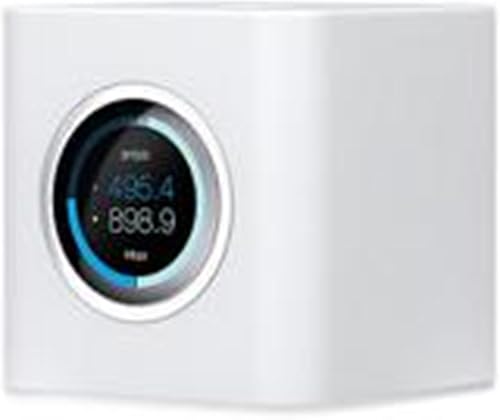
AmpliFi
AmpliFi HD WiFi Router by Ubiquiti Labs, Seamless Whole Home Wireless Internet Coverage, HD WiFi Router with Touchscreen Display, 4 Gigabit Ethernet, 1 WAN Port, Ethernet Cable, Expandable Mesh System

Takealot
4.3-inch Smart Wireless HD Video Doorbell with Display Screen

Moxom
Moxom MX-WH17 Smartwatch - 2." HD Display, Bluetooth call & Fitness Tracker

Astrum
Astrum Smartwatch, BT Calling, 1.52" HD, Wireless Charge, IP67 - MT31
5.0(3)
Golden Perfect
Smart Watch For Women With Wireless Earbuds - Fitness & Health Tracking
4.4(22)
Golden Perfect
Men's Smartwatch And Wireless Earphones Set For Work Bluetooth Call

Lenovo
Certified Pre-Owned Lenovo ThinkPad T470- Intel Core i5 6th Gen 8GB 512SSD
5.0(3)
Mecina
Mecina Smart Watch & Wireless Earbuds Combo-Fitness Meets Wireless Freedom

Golden Perfect