
- Average
- R 323.00
- Lowest seen
- R 299.00
- Highest seen
- R 325.00
- Last change
- -R 24.00
- First indexed
- 20 May 2023
- Retailer
- Takealot
Description
Directions for use:
- The first connection good PS4 host power supply. Connect the AV line and display devices again OK, open the PS4 host power source, the corresponding power indicator light.
- Open the PS4 handle keyboard power switch, the blue light is lit up.
- Long press on the code 2 s, blue lights flashing, said they were searching for the code, matching success back out.No connection within 3 min, lights, keyboard into sleep mode automatically.
- Click the PS4 interface Settings in turn - peripheral devices - Bluetooth devices, Bluetooth can be seen the riddeviceinfo_keyboard, click on the interface prompted for a password pair.
- After the success of the match, select the same user name that can be used as the handle controller.
- Inserted the PS4 Bluetooth keyboard 3.5 audio plug on PS4 original handle audio jack, can handle the speaker's voice through the handle to the keyboard of the horn.
- The PS4 handle keyboard audio jack, can be used with the original ear mi, ear mi into PS4 keyboard audio jack, and insert the original joystick as the effect of the audio jack.
- After 8. Bluetooth connection bolt, handle the keyboard will automatically into sleep mode, into the scope of the connection, and PS4 host open, press any key to automatically back to connect; If cannot be automatically back to even, to restart the power supply on the keyboard to go back to even.
- Hold down the button, then press needs a yellow symbol, can play the corresponding symbol.
- Case lock ", "click on this button lock capital input, click again can return to lowercase input.
- When the blue light flashes twice in a row, according to the built-in polymer Li-ion battery power is too low, please recharge the PS4 handle keyboard; When charging, the red indicator light for long bright, full of after the red indicator light goes out.
- I do not use this product for a long time, charging at least two months time, can protect the battery to extend battery life.
What's in the box
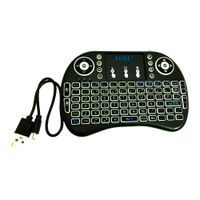
1 x Wireless PS4 Controller Keyboard
1 x Charging Cable
Similar products

Takealot
Bluetooth Controller Keyboard Compatible with PS4

Takealot
Mini Bluetooth Keyboard Compatible with PS4 Controller

Takealot
Bluetooth Controller Keypad Compatible with PS5
 −14%
−14%Takealot
Mini Keyboard,Rii X8 Portable 2.4GHz Mini Wireless Keyboard Controller
5.0(1)
Dobe
DOBE TP5-35135 Wireless Keyboard Compatable with PS 5 / Edge Controller

Takealot
i8 Backlit Mini Wireless Keyboard With Touchpad Infrared Remote Control

Takealot
Wireless Keyboard For PS4 Controller
4.6(5)
Amazon
Controller Keyboard Keypad Compatible with PS5 - Wireless Bluetooth Game Chatpad Keyboard, 47 Keys Keypad - Built-In Speaker &3.5mm Headset Audio Jack Compatible with DualSense Wireless Controller
4.0(375)
Takealot
Wireless Controller Keyboard for PS5/PS5 Pro, Bluetooth 3.0 Mini Gamepad
Takealot
Wireless Mini Keyboard With Back Lights
5.0(1)
Redragon
Redragon BS-7094 Wireless Keyboard & Mouse Combo - Black
4.0(6)
Takealot